

उन्नत और लाइव सोनार

मछली पकड़ने के लिए डिज़ाइन किया गया

कनेक्ट करें और कास्ट करें

विस्तृत C-MAP® चार्ट
उन्नत ट्रांसड्यूसर विकल्प
नए डिज़ाइन किए गए TripleShot™ HD और SplitShot™ HD ट्रांसड्यूसर बेहतर स्पष्टता, गहराई और संवेदनशीलता प्रदान करते हैं – जिससे पानी के नीचे बेहतर प्रदर्शन मिलता है। Eagle Eye™ लाइव सोनार तक आसान पहुँच प्रदान करता है।
-
नया Eagle Eye™ लाइव सोनार के साथ
-
नया TripleShot™ HD
-
नया SplitShot™ HD
-
Hybrid Dual Imaging™ (HDI)
-
Bullet Skimmer
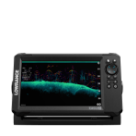
Eagle Eye™ ट्रांसड्यूसर, CHIRP और DownScan Imaging™ के साथ, आगे और नीचे की ओर केंद्रित लाइव सोनार दृश्य एक ही ट्रांसड्यूसर में प्रदान करता है, जो विशेष रूप से Eagle Eye fish finders के साथ उपलब्ध है।
TripleShot™ HD में चौड़े कोण वाले उच्च CHIRP सोनार की मछली-खोज क्षमता और SideScan तथा DownScan Imaging™ से मछली-धारक संरचनाओं की उच्च-रिज़ॉल्यूशन छवियाँ मिलती हैं।
Eagle 4x शामिल नहीं है
SplitShot™ HD के साथ नाव के नीचे सबसे बेहतरीन पानी के नीचे के दृश्य प्राप्त करें, जिसमें चौड़े कोण वाले उच्च CHIRP सोनार की मछली-खोज क्षमता और DownScan Imaging™ से मछली-धारक संरचनाओं की उच्च-रिज़ॉल्यूशन छवियाँ शामिल हैं।
Eagle 4x शामिल नहीं है
उन मछुआरों के लिए आदर्श जो नाव के नीचे सबसे अच्छे दृश्य चाहते हैं, यहाँ तक कि गहरे पानी में भी; HDI ट्रांसड्यूसर शक्तिशाली CHIRP सोनार की मछली-खोज क्षमता और DownScan Imaging™ से मछली-धारक संरचनाओं की उच्च-रिज़ॉल्यूशन छवियाँ प्रदान करते हैं।
Eagle 4x शामिल नहीं है
अपने चौड़े कोण वाले सोनार के साथ, Bullet Transducer जल-स्तंभ का अधिक कवरेज प्रदान करता है और स्क्रीन पर निरंतर दाएँ से बाएँ स्क्रॉल दिखाता है, जिससे इसे समझना और मछलियाँ पहचानना आसान हो जाता है।
केवल Eagle 4x


Eagle Series Products
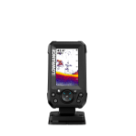
Eagle with
Bullet Skimmer
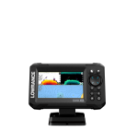
Eagle with
SplitShot™ HD
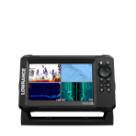
Eagle with TripleShot™ HD
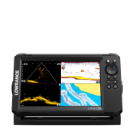
Eagle Eye™
with Live Sonar
Eagle with
50/200 HDI
Technical Specifications
SCREEN SIZE OPTIONS
नया Eagle Eye™ Live Sonar के साथ
संरचना से संबंधित मछलियों और चारा प्रस्तुतियों पर उनकी प्रतिक्रिया के वास्तविक समय दृश्य प्राप्त करें, ताकि आप उन्हें काटने के लिए त्वरित समायोजन कर सकें।


आगे का दृश्य

नीचे का दृश्य
CHIRP सोनार
CHIRP सोनार व्यक्तिगत मछली लक्ष्यों के उच्च-रिज़ॉल्यूशन दृश्य प्रदान करता है, यहाँ तक कि जब लक्ष्य तल के पास हों या घनी झुंडों में सस्पेंडेड हों।
Eagle 4x शामिल नहीं है

DownScan Imaging™
DownScan Imaging मछलियों का संरचना के साथ संबंध पहचानना आसान बनाता है, और आपकी नाव के ठीक नीचे चट्टानों, पेड़ों और अन्य जलमग्न संरचनाओं की फोटो-जैसी छवियां प्रदान करता है।
Eagle 4x को शामिल नहीं करता

SideScan Imaging
SideScan मछलियों को आश्रय देने वाली संरचनाओं के लिए बड़े क्षेत्रों की खोज करना आसान बनाता है। अपने जलयान के दोनों ओर 600ft तक देखें, जिससे आप कम समय में अधिक क्षेत्र कवर कर सकते हैं।
TripleShot™ HD Transducer आवश्यक है
Eagle 4x को शामिल नहीं करता

FishReveal™
FishReveal™ DownScan Imaging को CHIRP के साथ जोड़ता है, जिससे मछलियों और खरपतवारों में अंतर करना पहले से कहीं आसान हो जाता है। आखिरकार, Eagle अपनी दृष्टि पर ही फलता-फूलता है।
Eagle 4x को शामिल नहीं करता

नया IPS स्क्रीन
Eagle में बेहतर रिज़ॉल्यूशन, स्पष्टता और दृश्यता के लिए नए IPS स्क्रीन हैं, यहाँ तक कि सीधे सूर्यप्रकाश में ध्रुवीकृत धूप के चश्मे के साथ भी।

नए रंग पैलेट
रंग पैलेट की एक नई श्रेणी* आपको बदलती परिस्थितियों के अनुसार डिस्प्ले को अनुकूलित करने देती है।
*4x मॉडल को शामिल नहीं करता

Connect & cast
Eagle आपको शुरुआत से ही सर्वोत्तम सेटिंग्स देता है, इसलिए आपको उन्हें स्वयं ढूँढने में समय नहीं लगाना पड़ता।
नया Twist-Locking Connector
बेहतर ट्विस्ट-लॉकिंग कनेक्टर आसान और विश्वसनीय स्थापना तथा हटाने की सुविधा देता है, जिससे Eagle किसी भी प्रकार की मछली पकड़ने के लिए एक बेहतरीन पोर्टेबल समाधान बन जाता है।

Autotuning Sonar
Autotuning Sonar के साथ, जो मछली पकड़ने की परिस्थितियों के बदलने पर सेटिंग्स को स्वचालित रूप से समायोजित करके हर बार सर्वोत्तम सोनार छवि सुनिश्चित करता है, सोनार सेटिंग्स को दोबारा समायोजित करने में कम और मछली पकड़ने में अधिक समय बिताएँ।

विस्तृत C-MAP® चार्ट
मछली पकड़ने में अधिक समय और खोजने में कम समय लगाएँ।
उच्च-रिज़ॉल्यूशन चार्ट
Eagle US के लिए उच्च-रिज़ॉल्यूशन C-MAP® inland charts के साथ पहले से लोड आता है, जिसमें 17,000+ अमेरिकी झीलों का कवरेज है, या व्यापक inland और coastal कवरेज के लिए हमारे DISCOVER OnBoard charting bundle का चयन करें।

Genesis Live
Genesis Live के साथ, अपनी स्थानीय झील या अनमैप्ड पानी के लिए रीयल टाइम में ½-foot contour maps बनाने की क्षमता के साथ, आपके पास सर्वोत्तम मछली पकड़ने के स्थानों को तेज़ी से खोजने और वहाँ नेविगेट करने के लिए आवश्यक सारी जानकारी होती है।

अक्सर पूछे जाने वाले प्रश्न
मेरी मछली पकड़ने की शैली के लिए कौन-सा Eagle Transducer विकल्प सबसे अच्छा है?
उथले (-60ft) पानी के लिए SplitShot Transducer आदर्श है यदि आप अपना अधिकांश समय अपनी नाव के नीचे मछलियों की तलाश में बिताते हैं, और आपको अपनी नाव के दोनों ओर क्या है, यह देखने के लिए SideScan का उपयोग करने की आवश्यकता नहीं है। यदि आप SideScan, DownScan और CHIRP के साथ नीचे और किनारे दोनों ओर सभी विकल्प देखना चाहते हैं, तो TripleShot की आवश्यकता होगी। 60ft से अधिक गहरे पानी में मछली पकड़ने के लिए HDI sonar सबसे अच्छा विकल्प है।
क्या मैं अभी भी अपनी सोनार सेटिंग्स समायोजित कर सकता हूँ और Autotuning बंद कर सकता हूँ?
Autotuning Sonar को शुरुआत से ही आपको सर्वोत्तम सेटिंग्स देने के लिए डिज़ाइन किया गया है, बिना सेटिंग्स समायोजित करने में समय लगाए; हालाँकि, यदि आप चीज़ों को अलग तरीके से देखना पसंद करते हैं, तो आप अभी भी अपनी सेटिंग्स आसानी से समायोजित कर सकते हैं।
क्या ये Eagle यूनिट्स NMEA 2000 नेटवर्क के साथ काम करेंगी?
Eagle series को अन्य यूनिट्स के साथ नेटवर्क करने के लिए डिज़ाइन नहीं किया गया है। यह उस angler के लिए बनाया गया है जो केवल core features और functionality के साथ मछली पकड़ना चाहता है।
नेटवर्किंग के लाभों का आनंद लेने के लिए, Elite और HDS products की अनुशंसा की जाती है।
Lowrance.com के माध्यम से अपना Lowrance product कैसे रजिस्टर करें
अपने नए Lowrance डिवाइस को रजिस्टर करने के लिए, कृपया अपने डिवाइस का 9-अंकीय सीरियल नंबर ढूँढें और फिर lowrance.com/mfdreg पर जाएँ। अनुरोधित जानकारी दर्ज करें और Register बटन पर क्लिक करें।
अपने डिवाइस का सीरियल नंबर कैसे ढूँढें:
9-अंकीय सीरियल नंबर उस बॉक्स पर पाया जा सकता है जिसमें आपका डिवाइस आया था।
9-अंकीय सीरियल नंबर डिवाइस के नीचे लगे स्टिकर पर भी पाया जा सकता है। सीरियल नंबर बार कोड के नीचे सूचीबद्ध होता है। 9-अंकीय सीरियल नंबर यूनिट के 'About' स्क्रीन पर 'Settings' मेनू के अंतर्गत भी पाया जा सकता है।
अपने प्रोडक्ट का device code कैसे ढूँढें:
कुछ Lowrance उत्पादों में एक Registration सुविधा हो सकती है, जो आपको WiFi कनेक्शन के साथ उत्पाद को ऑनलाइन रजिस्टर करने देती है। यदि आप इस विधि का उपयोग करना चाहते हैं, तो आपसे अपना 'Device Code' प्रदान करने के लिए कहा जाएगा।
Settings मेनू पर जाएँ। System चुनें। यदि आपको Registration विकल्प दिखाई दे, तो उसे चुनें। फिर 'Register by Other Methods' चुनें। इसके बाद device code प्रदर्शित होगा।